Avete necessità di creare un poster, ma non avete la minima idea da dove partire per svolgere un’operazione del genere? Nessun problema, dal momento che sul web esistono una miriade di programmi che possono tornare notevolmente utili in tal senso. Spesso e volentieri, inoltre, hanno il vantaggio di poter essere scaricati pure in via del tutto gratuita.
Creare un poster con Publisher
Un’ottima soluzione per creare un poster è certamente quella di sfruttare Publisher, ma solo a patto di aver già installato la suite di Microsoft Office sul proprio pc. Si tratta di un software di desktop publishing creato dal marchio di Redmond, con cui c’è la possibilità di realizzare un poster anche senza avere grande esperienza, magari partendo da uno dei tanti modelli che vengono messi a disposizione.
L’alternativa di LibreOffice Draw
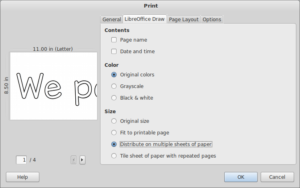
Un’ottima alternativa per creare un poster è certamente rappresentata da LibreOffice Draw. Quando si parla di LibreOffice si fa riferimento ad un’altra suite per la produttività particolarmente famosa per poter essere usata in via del tutto gratuita. Spesso viene ritenuta una buonissima alternativa rispetto a Microsoft Office. Al suo interno c’è Draw, un programma che consente proprio anche di realizzare un poster, usando i vari strumenti che vengono messi a disposizione.